 Remember Me
Reminders that stay
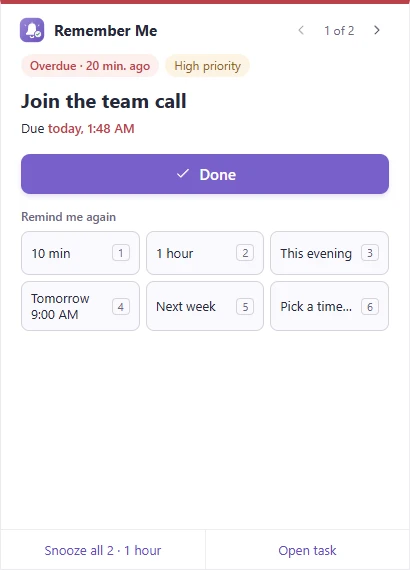
A sticky window above the taskbar shows how overdue a task is, its priority and repeat. Reminders that come due together are queued, one at a time, so none is lost.
Remember Me shows each reminder in its own window above the taskbar, on top of your other windows, until you mark it done or snooze it. Nothing slips away into the notification center.
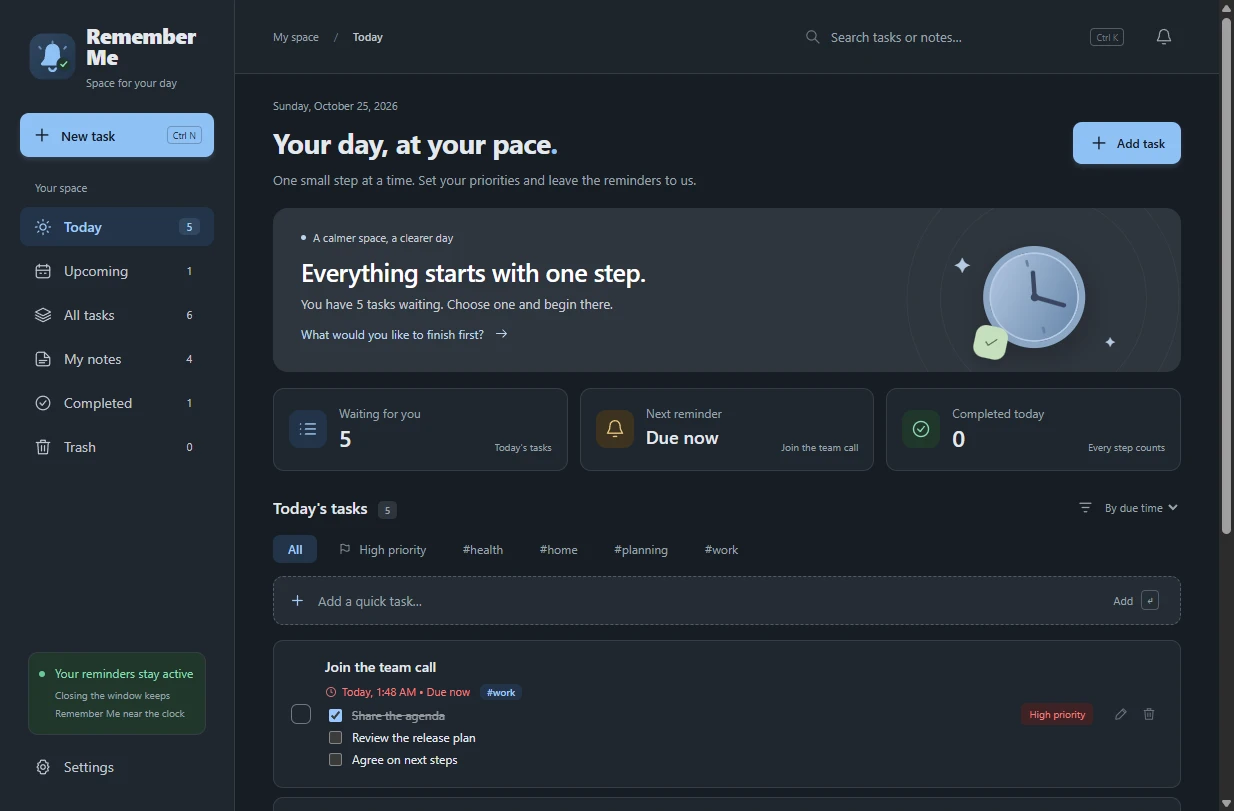
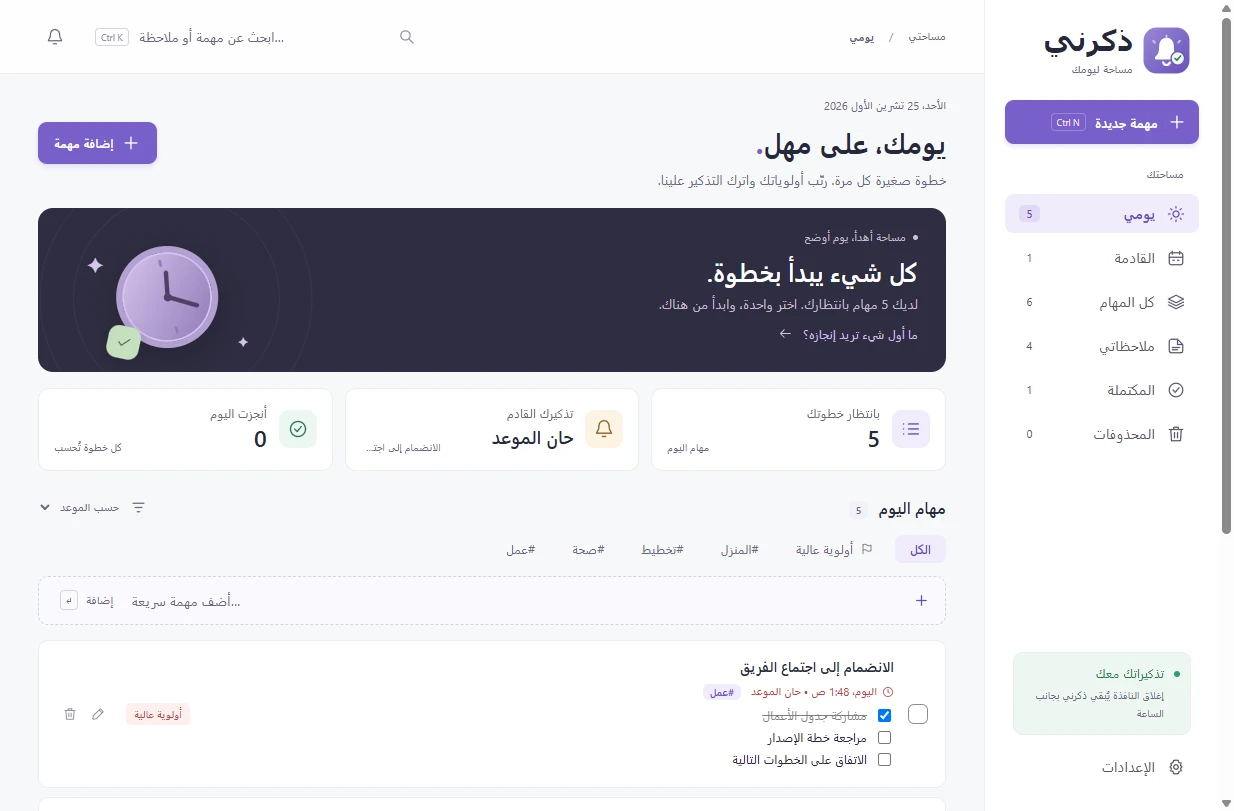
Tasks, notes and reminders in one calm window. It runs quietly next to the clock and starts with Windows if you like.
A sticky window above the taskbar shows how overdue a task is, its priority and repeat. Reminders that come due together are queued, one at a time, so none is lost.
10 minutes, 1 hour, this evening, tomorrow at 9:00, next week, or any time you pick, on the 1–6 keys. Snooze all when several are waiting.
Daily, chosen weekdays, every few days, monthly or yearly, at the same time even across daylight saving. Skip this time or move only this time.
Tag tasks and filter by tag, sort by due time, priority or title, and break a task into steps you tick off right in the list.
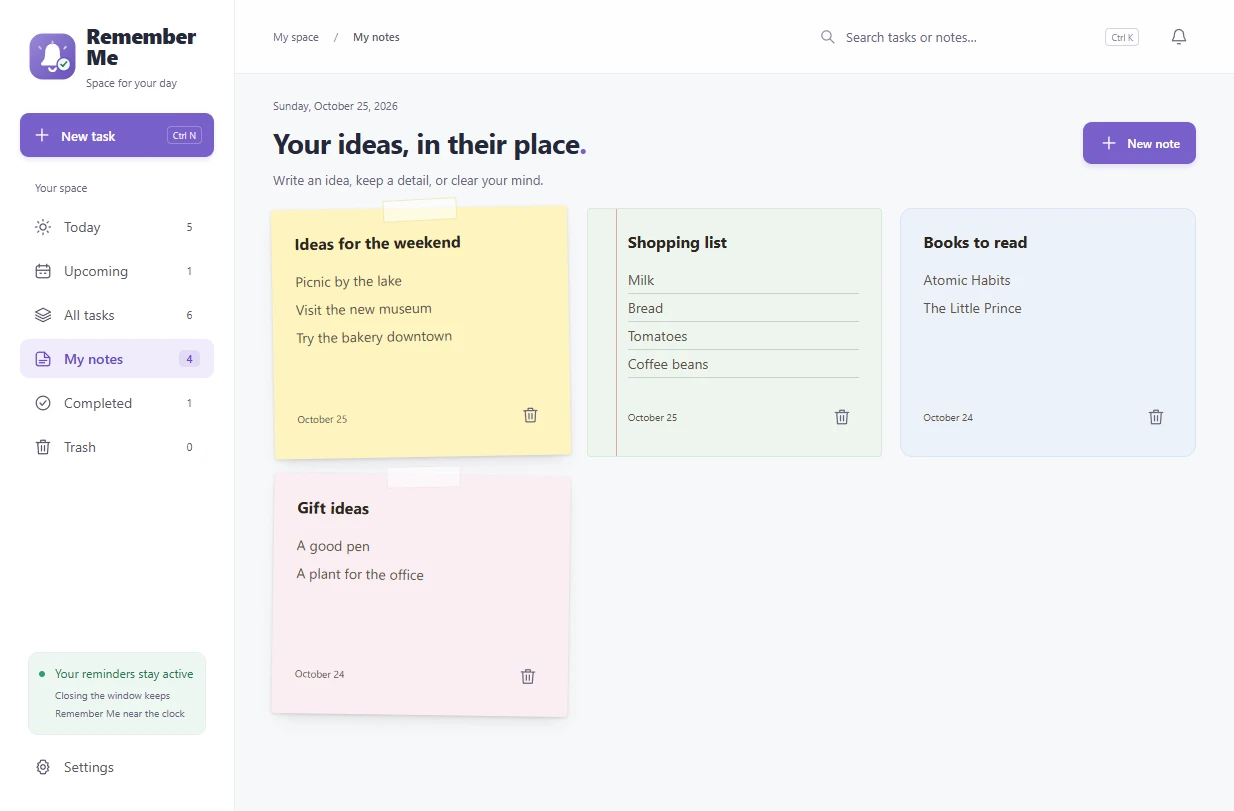
Sticky notes, lined paper or plain cards in ten paper colors, with search that finds Arabic text whatever the diacritics or spelling variant.
English, Arabic with a full right-to-left layout, and ten more. Dates and numbers follow your language, always with digits 0-9.
Light, dark or follow Windows, six color palettes including high contrast, full keyboard use and screen-reader support.
Full backups with checksums, verified before they're restored. Copy them every day into a Google Drive folder if you want an off-site copy.
Attach PDFs, sheets, documents and photos to tasks and notes. Programs and scripts are shown in File Explorer instead of being run.
A Windows notification slides in, waits a few seconds and is gone. If you were away or busy, it sits in the notification center until you happen to look.
Remember Me works offline and has no account, analytics or telemetry. There is no server that could see your tasks.
Tasks, notes, attachments and settings live in %APPDATA%\Remember Me, saved safely with a backup copy and automatic recovery.
The app goes online only to check GitHub for updates, if you allow it. None of your data is sent. Backups go only to folders you choose.
The full source is on GitHub under the MIT license, and every installer is built there from that source, with a checksum and build provenance.
Remember-Me-Setup-1.5.0-x64.exe from the latest release.Install with winget Coming soonwinget install Sarmad.RememberMe
The installer isn't code-signed yet, and Windows SmartScreen warns about new unsigned programs that few people have downloaded. It doesn't mean anything was found in the file. You can check that your download is exactly what GitHub built from the public source:
1. Compare the SHA-256 checksum with SHA256SUMS.txt from the same release:
Get-FileHash .\Remember-Me-Setup-1.5.0-x64.exe -Algorithm SHA2562. Or verify the build provenance with the GitHub CLI:
gh attestation verify .\Remember-Me-Setup-1.5.0-x64.exe --repo sarmadiq9090-coder/Remember-MeSee the code signing policy.
Microsoft To Do, TickTick and Todoist are great if you want your tasks on every device or share lists with others. Remember Me is for people who want reminders on their Windows PC that can't be missed, without an account or a cloud.
| Feature | Remember Me | Microsoft To Do | TickTick | Todoist |
|---|---|---|---|---|
| Price | Free, no paid plan | Free | Free, with a paid Premium plan | Free, with paid plans |
| Account | Not needed | Microsoft account | TickTick account | Todoist account |
| Where your tasks are kept | On your PC only | Microsoft's cloud | TickTick's cloud | Todoist's cloud |
| Open source | Yes, MIT license | No | No | No |
| Phone, Mac and web apps | No, Windows only | Yes | Yes | Yes |
| Sync across devices | No (backups to a Drive folder) | Yes | Yes | Yes |
| Shared lists | No | Yes | Yes | Yes |
Based on each product's public website in October 2026, for their Windows apps. Plans and features change, so check their sites for details.
Yes. Remember Me is open source under the MIT license, with no ads, no paid tier and no account.
No. Everything works offline. If you allow automatic updates, it checks GitHub for new versions about once a day.
It's a Windows app and doesn't sync. You can export a backup, or copy backups into a Google Drive folder, and restore it on another PC.
Closing the window keeps Remember Me running next to the clock, so reminders still appear. Turn on Start with Windows so it's running after a restart. Reminders missed while the PC was off or asleep appear as soon as you're back.
The app asks once whether it may update itself. If you agree, it downloads new versions from GitHub in the background, saves a safety copy of your data, and installs when you restart it. Nothing restarts without you.
Windows 10 and 11, 64-bit.
From Settings → Apps in Windows. Your data folder is kept, in case you want it back.
Yes, please. Ten of the languages are machine-assisted and native speakers' corrections are very welcome. See how to fix a translation or open an issue.
Free, open source, no account. Ready in a minute.